When I first started preparing for the PMI-PMP exam, I honestly believed success would come from memorizing frameworks, formulas, and process groups.
Like many professionals, I thought PMI was mainly testing my knowledge and my past experience. I was wrong.
The deeper I went into mock tests, situational questions, and real project discussions, the more I realized something uncomfortable:
PMI is not really checking whether you can remember terms.
It is checking how you think when things start going wrong.
And that realization completely changed the way I looked at project management.
For years, I had worked on projects where speed mattered more than structure. Clients wanted faster delivery. Teams were overloaded. Stakeholders changed priorities overnight. Escalations happened emotionally. Decisions were often reactive.
In many organizations, surviving the week becomes more important than following ideal project management practices.
So naturally, when I started answering PMP questions, I often found myself choosing options that felt “practical” from real-world experience.
But PMI kept telling me I was wrong. At first, that frustrated me.
Then I slowly understood what PMI was actually trying to teach.
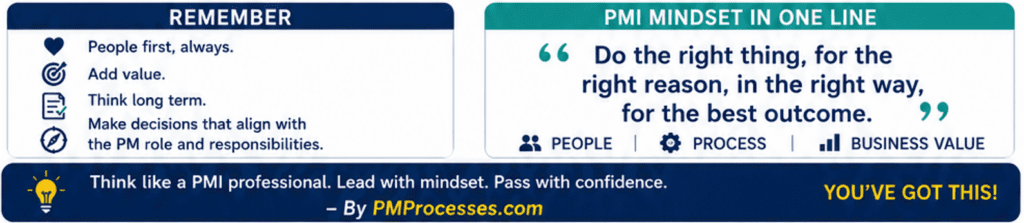
PMI’s mindset is not about becoming robotic or theoretical. It is about becoming disciplined in judgment. That is the real exam.
The PMP exam constantly pushes you into uncomfortable situations where every option looks partially correct. A stakeholder is angry. A team member is underperforming. A sprint is slipping. A vendor has failed. A risk has become an issue.
And in those moments, PMI wants to know something very specific: Can you respond as a professional leader rather than react emotionally?
That single shift changed everything for me. I started noticing patterns in PMI’s thinking.
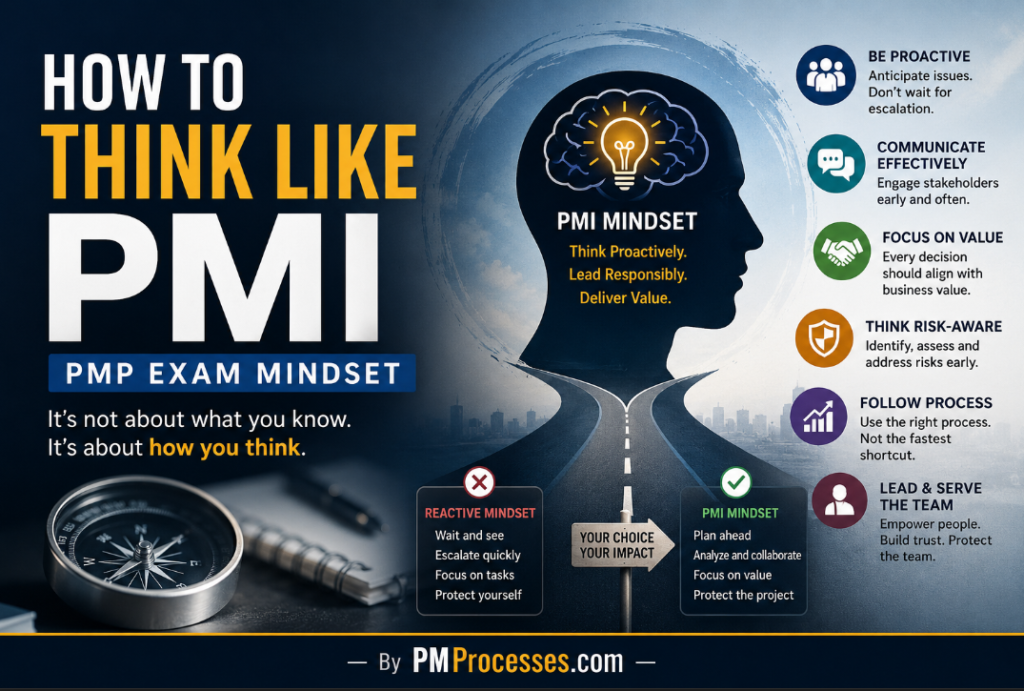
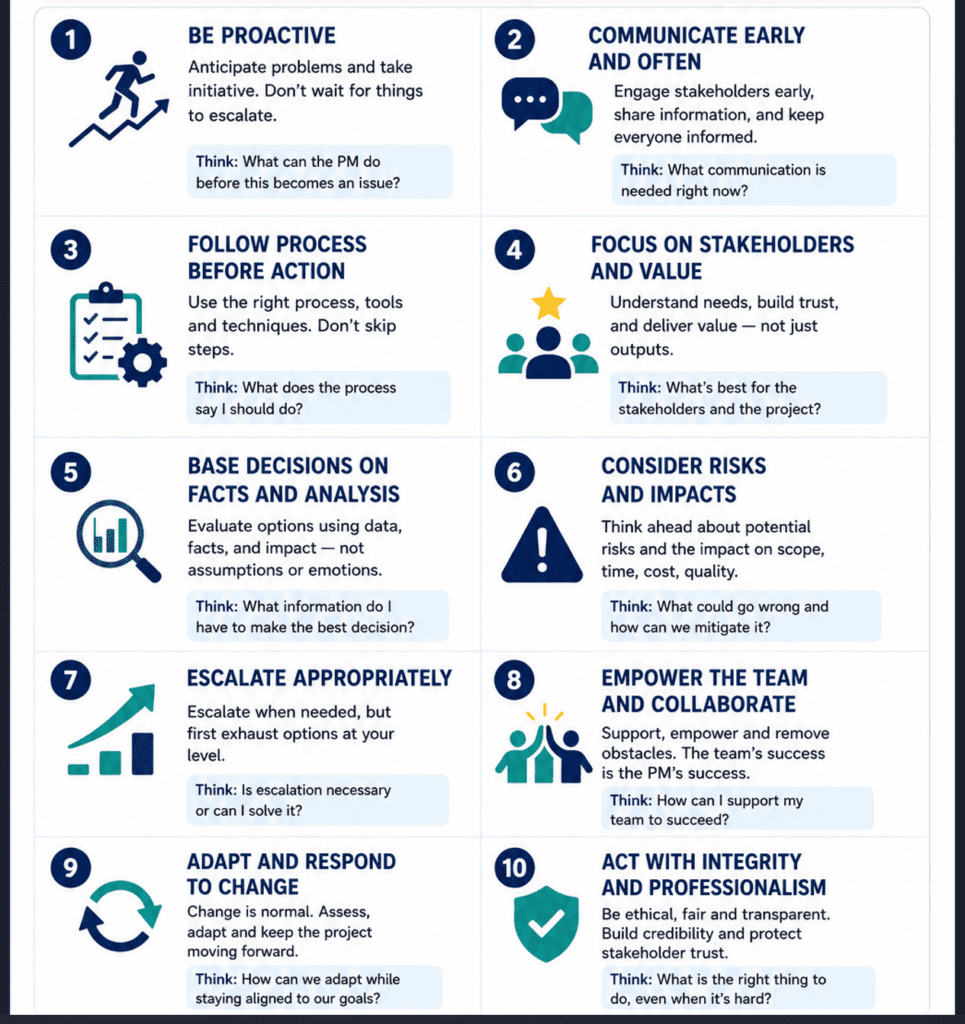
PMI prefers proactive behavior over reactive firefighting.
Instead of waiting for escalation, identify the issue early.
Instead of blaming the team, understand the root cause.
Instead of immediately escalating upward, first attempt resolution at your level.
Instead of making assumptions, gather information.
Instead of protecting ego, protect project value.
Once I began seeing these patterns, the PMP exam no longer felt random.
The questions started feeling psychological.
One of the biggest mindset shifts for me was understanding stakeholder thinking.
In many real projects, teams become output-focused. Finish the task. Close the ticket. Deliver the feature. But PMI repeatedly pushes you to think beyond delivery.
Does the stakeholder understand the impact?
Was communication clear?
Did the decision increase trust?
Did the action align with business value?
That is why, in many PMP questions, technically correct actions are still considered wrong if communication or stakeholder engagement was ignored.
And honestly, that reflects real leadership more than most people realize. A project manager who delivers but damages relationships creates future problems.
PMI understands that.
Another major lesson was around escalation.
In corporate environments, escalation sometimes becomes a shortcut. People escalate too early to avoid responsibility or protect themselves politically.
But PMI’s mindset is different.
First collaborate.
Then analyze.
Then communicate to solve.
Then attempt resolution.
Then escalate only when necessary.
That sequence matters. The exam trains you to think like someone who stabilizes situations instead of amplifying chaos.
I also realized PMI strongly values emotional maturity, even if it never directly says so. Many PMP questions are actually testing composure.
How do you react under pressure?
Do you create panic?
Do you make assumptions?
Do you isolate stakeholders?
Do you ignore the team?
Or do you slow down, gather facts, communicate calmly, and move systematically?
That is PMI thinking. And strangely enough, once I started applying this mindset at work, I noticed something important.
Conflicts reduced.
Meetings became more structured.
Conversations became less emotional.
Teams felt safer discussing problems early.
Even difficult stakeholders responded differently when communication became proactive instead of defensive.
The PMP mindset slowly started improving my real-world leadership – not because PMI is perfect, but because structured thinking reduces unnecessary damage during uncertainty.
Of course, real-world project management is still messier than exam scenarios.
Budgets get cut.
Leadership changes priorities overnight.
Politics exists.
Clients become unreasonable.
Teams burn out.
No certification can magically solve that. But the PMI mindset gives something extremely valuable:
A professional framework for decision-making under pressure.
And that is what many professionals misunderstand about PMP.
It is not just a certification in project management. It is training for judgment.
The more I reflect on it, the more I feel PMI is trying to develop project leaders who think long-term rather than react short-term.
Leaders who create alignment instead of confusion.
Leaders who reduce risk instead of increasing panic.
Leaders who communicate before situations explode.
My final view on PMI-PMP
I often tell aspiring PMI-PMP professionals something very simple:
Don’t just study the processes.
Study the behavior behind the processes.
Because eventually, the exam is not asking “Do you know project management?” It is asking, “Can people trust your judgment when projects become difficult?”
And honestly, that question matters far beyond the PMP exam itself.
AI Made Me Less Valuable, Really? When AI started becoming mainstream, I noticed two types of reactions around me.
One group treated it like magic.
The other treated it like a threat.
Some believed Artificial Intelligence would replace entire industries overnight. Others dismissed it as hype that would eventually fade away like every other technology trend before it.
But somewhere between those two extremes, I quietly started experimenting with it.
Not as a researcher.
Not as a full-time engineer.
Not as an influencer trying to predict the future.
I started using Artificial Intelligence as a working project manager, dealing with actual operational pressure, communication overload, delivery timelines, documentation, stakeholder expectations, technical ambiguity, and constant context switching.
And honestly, what happened surprised me.
It didn’t make me feel less valuable. It made me feel more capable than I had in years.
Not because it replaced my thinking. But because it amplified it.
The Fear Around Artificial Intelligence Is Real
I understand why so many professionals feel uncomfortable right now.
Every week, there’s a new headline:
AI replacing jobs
AI generating code
AI creating content
AI automating workflows
AI is reducing manual effort
AI outperforms humans in certain tasks
If you work in technology, management, operations, marketing, design, or communication, it’s almost impossible to ignore the psychological pressure these conversations create.
Even experienced professionals silently wonder:
“Will my experience still matter?”
That question is deeper than people admit publicly.
Because most careers are built over years of repetition, learning, mistakes, pressure, adaptation, and accumulated judgment.
When it suddenly appears capable of doing tasks in seconds that previously required hours of human effort, it naturally creates uncertainty.
I felt that too. But over time, I realized something important.
It was not replacing the most valuable parts of my work.
It was exposing the repetitive parts that consumed too much of my energy.
That distinction changed everything for me.
Experience Still Matters, Maybe More Than Ever
One thing became obvious very quickly. Artificial Intelligence can generate outputs.
But it still depends heavily on:
Context
Judgment
Direction
Prioritization
Onterpretation
Refinement
Decision-making
And those things usually come from experience.
The better I understood projects, people, systems, communication, delivery pressure, and operational complexity, the more effectively I could use Artificial Intelligence.
That’s when I stopped seeing it as a competitor. I started looking at it as leverage. A multiplier. A thinking accelerator.
It Reduced the Friction Between Thought and Execution
Before Artificial Intelligence, many tasks carried invisible mental resistance. Not because they were impossible. But because they were exhausting.
Things like:
Structuring documentation
Rewriting communication
Brainstorming approaches
Summarizing discussions
Analyzing options
Refining ideas
Researching unfamiliar topics
Preparing frameworks
Organizing thoughts
None of these tasks was individually difficult. But together, they consumed enormous cognitive energy.
Especially in project management roles where your brain is constantly shifting between:
People
Systems
Priorities
Blockers
Communication
Escalation
Planning
Risk
Execution
Artificial Intelligence dramatically reduced that friction for me.
What I now feel is:
Rough ideas became structured faster
Technical concepts became easier to explore
Communication became sharper
Brainstorming became deeper
Analysis became faster
Learning became less intimidating
And the interesting part was, the more experience I had, the more powerful the Artificial Intelligence became. Because I knew what to ask.
I knew what looked unrealistic.
I knew where the risk hid.
I knew where assumptions fail.
I knew when something sounded operationally disconnected from reality.
That human layer still mattered enormously.
AI Didn’t Replace My Thinking – It Expanded It
This is probably the biggest misconception people have. Many assume using AI means “letting it think for you.”
My experience has been the opposite. Artificial Intelligence increased the number of perspectives I could evaluate. Sometimes, while solving a project challenge, I’ll use AI to:
Explore alternative approaches
Simulate stakeholder concerns
Identify possible risks
Structure communication
Compare strategies
Refine documentation
Simplify technical understanding
Brainstorm operational improvements
Not because I blindly trust the output. But it helps me think more widely and faster.
The PMI prompt engineering discussions describe something very similar, using it not just for automation but also for assistance and augmentation of project work.
That distinction matters. Automation saves time. Augmentation expands thinking. And honestly, augmentation is where AI became transformational for me.
I Started Operating Differently
The change wasn’t just technical. It became behavioral.
I noticed myself:
Exploring ideas faster
Asking deeper questions
Researching more confidently
Entering technical discussions with more curiosity
Validating assumptions quicker
Communicating more clearly
Iterating ideas rapidly
Becoming more experimental
Earlier, many ideas stayed trapped in mental backlog because execution felt too time-consuming.
AI lowered the activation energy required to explore those ideas. That changes how professionals operate.
Especially experienced professionals. Because experience plus speed is a dangerous combination.
The Real Power Is Human Judgment + AI Acceleration
I think this is where many public conversations become unrealistic. Some people underestimate Artificial Intelligence completely. Others overestimate it blindly.
My experience sits somewhere in the middle. AI is incredibly powerful. But it still lacks:
Accountability
Ownership
Emotional intelligence
Political awareness
Contextual sensitivity
Organizational intuition
Human trust
Leadership maturity
Projects are still deeply human environments.
Deadlines affect emotions.
Stakeholders change priorities.
Teams experience burnout.
Clients become impatient.
Requirements evolve.
Conflicts emerge.
Trade-offs happen constantly.
AI can support these environments. But humans still navigate them. That’s why I don’t think experienced professionals become weaker because of Artificial Intelligence.
I think adaptable professionals become exponentially stronger.
The Professionals Who Will Struggle Aren’t the Least Technical
This is another realization I’ve had. The professionals most at risk are not necessarily the least technical people. The real risk is rigidity.
The inability to:
Adapt
Learn continuously
Evolve workflows
Rethink processes
Collaborate with new systems
Question old habits
Because Artificial Intelligence is not just changing tools. It is changing professional behavior itself.
The way we learn, communicate, analyze, create, structure information, brainstorm, document, and make decisions…is evolving rapidly.
And professionals who evolve with that shift will become incredibly effective.
I Became More Limitless – Amplified My Existing Strengths
That’s the best way I can explain it. Artificial Intelligence did not create my professional experience. It amplified it.
It accelerated structured thinking, communication, experimentation, research, analysis, operational understanding, and learning speed.
The foundation was already there. Artificial Intelligence simply removed the friction that slowed execution. And when experienced professionals remove friction from execution, their output changes dramatically.
Final Say…
I no longer see Artificial Intelligence as something that competes with my career.
I see it as something reshaping how capable professionals operate.
And honestly, I think many mid-career professionals are underestimating how valuable their accumulated experience still is.
Because experience combined with adaptability becomes incredibly powerful in the AI era. Not every professional needs to become an AI engineer.
But professionals who learn how to think, operate, communicate, and adapt alongside Artificial Intelligence will likely outperform those who resist it entirely.
For me, It didn’t reduce my value; it expanded my range, it increased my speed, it sharpened my thinking, and it strengthened my curiosity again.
And in many ways, it made me feel professionally energized at a stage when many people quietly begin to feel outdated.
That’s why I no longer describe Artificial Intelligence as a threat. I describe it as leverage.
And when leverage reaches someone with years of operational experience, pattern recognition, an understanding of delivery, and human judgment…they don’t become less valuable.
They become far more limitless.
I would like to know your perspective on Artificial Intelligence and how it has impacted your career. Would you like to connect with me?
There was a time when I was deeply involved in the project’s technical execution.
I wasn’t just attending meetings or reviewing status reports. I was writing code, troubleshooting systems, understanding databases, experimenting with tools, and solving problems directly inside the implementation layer. Technology didn’t feel distant back then. It felt personal.
But careers evolve. As I moved deeper into project management, something quietly began to change.
The more responsibilities I took on, the further I drifted from hands-on technical work. My days slowly became filled with stakeholder communication, sprint discussions, delivery pressure, resource planning, timelines, escalations, expectation management, coordination calls, approvals, reporting structures, and operational decisions.
At first, it felt like growth. And honestly, it was.
But somewhere in that transition, I also started noticing something uncomfortable. Technology was moving faster than I was.
New frameworks appeared every few months. AI exploded into every conversation. Automation tools became smarter. Developers discussed architectures and integrations that sounded increasingly unfamiliar. Even the industry’s vocabulary began evolving rapidly.
I could still manage projects. I could still lead teams.
I could still communicate effectively between business and technical stakeholders. But internally, I knew something had changed.
I was becoming more managerial than technical. And I don’t think enough project managers openly talk about how uncomfortable that realization can feel.
The industry often portrays project managers as naturally “non-technical” roles, but that’s not always true. Many of us started our careers in technical execution. We moved into leadership because we could understand both people and systems. Over time, however, delivery ownership slowly replaces deep implementation exposure.
You stop building. You start coordinating the building. There’s a difference.
And if enough years pass, that difference becomes visible.
I remember sitting in discussions where developers referenced technologies, integrations, APIs, automation flows, cloud architectures, or AI concepts at a pace that reminded me of how much the industry had evolved while I was busy managing deadlines and people.
The strange part is that this realization doesn’t usually happen dramatically. It happens quietly. A moment during a technical call.
A concept that takes longer to understand. A conversation where you realize you’re depending more on interpretation than direct understanding.
And for many mid-career professionals, that feeling creates a sense of silent insecurity. Not because we stopped learning.
But because operational responsibilities consumed the space where technical curiosity once lived.
Then AI arrived.
Initially, I looked at AI the same way many professionals did – as another powerful tool entering the market with a mix of excitement, exaggeration, fear, and uncertainty surrounding it.
But over time, something unexpected happened. AI didn’t just help me work faster. It helped me reconnect with technical thinking again.
That distinction matters.
Most conversations around AI focus heavily on productivity. People talk about generating emails, summarizing meetings, creating presentations, or automating repetitive tasks. Those things are useful, but that’s not where AI changed my professional life the most.
For me, AI became a bridge. A bridge back toward exploration.
A bridge back toward systems thinking. A bridge back toward asking technical questions confidently again.
I started using AI not merely to produce outputs, but to understand concepts faster. When I encountered unfamiliar technologies, frameworks, workflows, or architectural patterns, I no longer felt blocked by the intimidating learning curve that usually discourages busy professionals.
Instead, I could have structured conversations. I could ask follow-up questions.
I could break down complexity into smaller layers. I could challenge assumptions.
I could request comparisons. I could simulate discussions.
And slowly, something changed psychologically.
I stopped feeling disconnected from the pace of technical evolution.
To clarify, AI didn’t magically turn me back into a full-time developer. And honestly, that was never the goal.
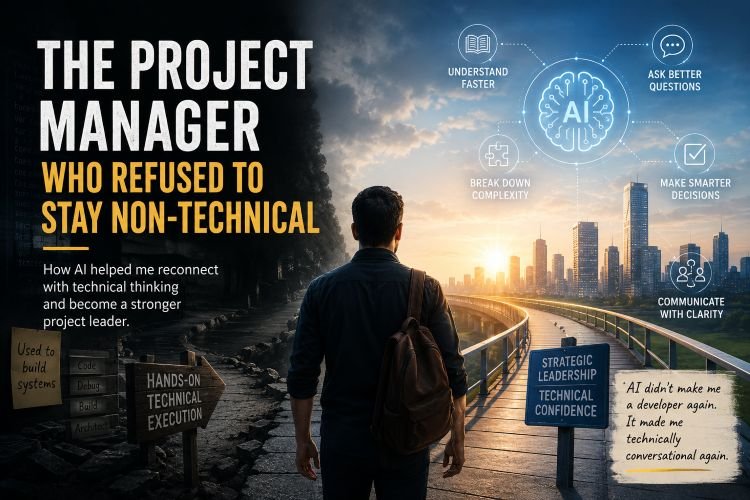
What AI gave me was something more practical. It made me technically conversational again.
That single shift restored confidence in ways I did not initially expect.
Today, when discussing workflows, integrations, automation opportunities, AI-assisted systems, reporting structures, or technical feasibility, I find myself engaging with more clarity and curiosity than I had in years.
Not because I suddenly know everything. But because AI has reduced the friction between curiosity and understanding.
That friction is important.
Most mid-career professionals are not incapable of learning new technologies. They are exhausted. Their calendars are full.
Their responsibilities are layered. Their energy is fragmented across meetings, escalations, planning, communication, people management, reporting, and business pressure.
Learning something deeply technical after a ten-hour workday is psychologically harder than most people admit.
AI changes that equation. It creates a low-resistance learning environment. Instead of reading thirty disconnected articles, you can begin with a conversation.
Instead of feeling embarrassed about asking basic questions publicly, you can privately explore concepts without judgment.
Instead of spending hours searching for fragmented explanations, you can progressively build understanding through structured dialogue.
Ironically, the better project manager I became operationally, the more I needed AI to reconnect me with the industry’s technical side.
And this is where I believe many organizations misunderstand the future role of project managers.
The future project manager will not succeed by becoming fully technical again.
Nor will they survive by remaining purely administrative. The role itself is evolving.
Modern project managers are increasingly becoming translators between complexity, business intent, technology, systems, people, and decision-making.
AI strengthens that capability. Not by replacing judgment. But by augmenting understanding.
The strongest professionals in the coming years may not necessarily be the ones who know the most syntax, frameworks, or certifications.
They may be the ones who can continuously learn, adapt, interpret, communicate, and make decisions across changing environments.
That requires technical awareness. But it also requires human maturity.
Because, despite all the AI advancements, projects are still driven by uncertainty, emotions, priorities, politics, pressure, expectations, and human behavior.
AI can support thinking. But humans still carry responsibility.
And perhaps that’s why I no longer see AI as a threat to project management. I see it as an opportunity for experienced professionals to reconnect with curiosity again.
To rebuild confidence.
To explore faster.
To ask better questions.
To understand systems more deeply.
To communicate more intelligently.
And maybe most importantly, to stop feeling left behind by technology.
I think many project managers secretly fear becoming irrelevant in an industry moving faster every year.
I understand that fear. But my experience with AI has changed my perspective.
The goal is not to compete with machines. The goal is to evolve alongside them.
And in a strange way, AI helped me rediscover a part of myself that I thought my career had slowly moved away from.
AI The Project Managers – Friend!!!
Not the developer. Not the coder. But the learner.
If you feel the same, do let me know. If you want to connect with me, please do. I would love to hear your side of the story.
A PMP-Certified Professional’s Real Talk About Project Management Certifications
By someone who’s been through the trenches
Why I’m Writing This
I’m a certified PMP, and I’ve been working in project management for several years now. I remember when I was researching these certifications, sitting at my desk at 11 PM, juggling browser tabs, trying to figure out if PMP was worth it, whether I even qualified, and how much this was really going to cost me.
The internet is full of information, but most of it feels like it’s written by training companies trying to sell you courses, or by people who’ve never actually taken these exams. I wanted to write something different, the kind of article I wish I’d found back then.
So here’s what I’ve learned, both from earning my PMP and from watching colleagues go through both the PMP and CAPM journeys. This is the real story, with all the stuff nobody talks about.
Let’s Start With the Basics: What Are We Even Talking About?
The Project Management Institute (PMI) offers many certifications, but in my view, I see most people care about two main certifications:
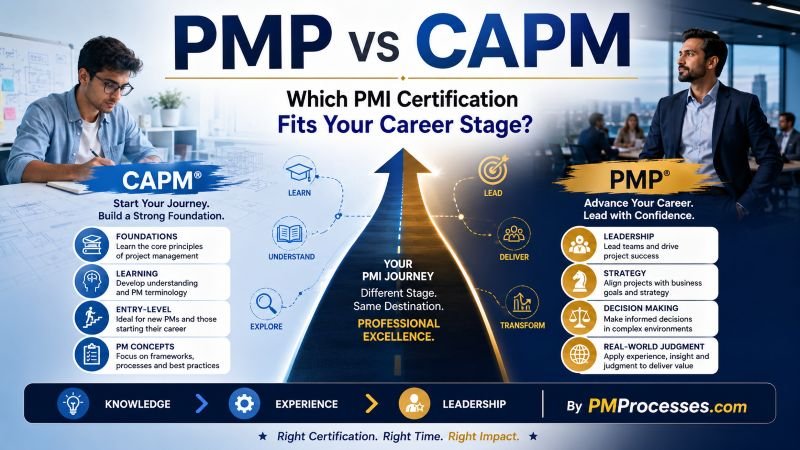
PMP (Project Management Professional) – This is the big one. It’s for people who’ve already been doing project management work and want to formalize their credentials.
CAPM (Certified Associate in Project Management) – This is the entry-level version. It’s designed for people who are new to PM or don’t have enough experience yet to qualify for PMP.
Both are globally recognized. Both will help your career. But they serve very different purposes, and choosing the wrong one can waste your time and money.
My PMP Journey: How I Got Here
When I decided to go for my PMP, I’d been leading projects for about four years. My title wasn’t “Project Manager.” I was a Team Lead and Functional Business Analyst, but I was absolutely doing project management work. I was initiating projects, building project plans, managing stakeholders, tracking budgets, and closing projects out.
Here’s what I didn’t know at first: Your job title doesn’t matter. PMI cares about what you actually did, not what was on your business card.
The Real PMP Requirements (From Someone Who Actually Went Through It)
Let me break down what you need to qualify for PMP:
If you have a four-year degree:
36 months (3 years) of non-overlapping project management experience.
It has to be from the last 8-10 years
You need to show you led projects, not just participated in them.
Plus 35 hours of project management education.
If you have a high school diploma or an associate’s degree:
60 months (5 years) of project management experience
Same 8-10 year window
Same leadership requirement
Same 35 hours of education
Now, here’s where it gets interesting. PMI wants to see that your experience covers what they call the “five process groups”:
Initiating
Planning
Executing
Monitoring and Controlling
Closing
When I filled out my application, I had to document my experience across all five. You don’t need every project to cover all five—you just need to show that across your projects, you’ve done work in each area.
The 35 hours of education were easier than I thought. I took an online PMP prep course that gave me the 35 hours. It also helped me actually prepare for the exam, so it was a two-for-one deal.
Everybody May Not Tells You About the Application Audit Process
PMI randomly audits applications. About 20-25% of applicants get audited (based on what I’ve seen in PM communities).
If you get audited, you need to provide:
Proof of your education hours (certificate from your training)
Contact information for someone who can verify your project experience
Sometimes, actual project documentation
I didn’t get audited, but my colleague did. She said it added about 2 weeks to her application timeline, but it wasn’t a huge deal as long as you were honest in your application.
Pro tip: When documenting your projects, be specific but concise. PMI doesn’t need your life story; they need dates, hours, and clear descriptions of what you did.
The PMP Exam: What I Experienced
Let me tell you about the exam itself, because this is where a lot of people’s expectations don’t match reality.
The Format (As of May 2026)
180 questions in 230 minutes (3 hours and 50 minutes)
Mix of question types: multiple choice, multiple response, matching, drag-and-drop, and even some fill-in-the-blank
You get two 10-minute breaks
It’s offered in-person at testing centers or online (proctored)
I took mine online from home. It was convenient, but the online proctoring is strict; they watch you through your webcam the entire time. You need a clean workspace, no papers, no phones, nothing. They even make you scan your room with your webcam before starting.
What the Exam Actually Tests
Here’s the thing that surprised me: The PMP exam is not a memorization test.
I studied hard. I knew the PMBOK Guide. I memorized processes and knowledge areas. And then I sat down for the exam and realized it’s almost entirely scenario-based questions.
A typical question looks like: “You’re managing a software development project. The sponsor wants to add a new feature, but your team says it will delay the release by three weeks. Your customer is expecting the product on time. What do you do first?”
Then you get four options that all sound reasonable. You have to pick the MOST PMI-aligned answer.
The exam tests three domains:
People (42%) – Leadership, team management, stakeholder engagement
Process (50%) – The technical PM stuff
Business Environment (8%) – Strategic and organizational context
Big news for 2026: Starting July 9, 2026, these percentages are changing. Business Environment is jumping from 8% to 26%. That’s a massive shift. If you’re taking the exam after July, you’ll need to focus way more on strategic thinking and organizational dynamics.
How I Prepared
I studied for about 4 months while working full-time. Here’s what worked for me:
Month 1: I took a 35-hour online prep course. This gave me my required education hours and taught me the fundamentals.
Month 2: I read the PMBOK Guide (well, skimmed parts of it—that book is dense). I focused more on understanding PMI’s philosophy than memorizing every process.
Month 3: Practice questions. Hundreds of them. I used online question banks and took notes on every question I got wrong.
Month 4: Full-length practice exams under timed conditions. This was crucial for time management. (IMPORTANT)
Total study time: Probably 100-120 hours spread over those 4 months.
The Day I Took the Exam
I was nervous. Like, really nervous. I’m not going to sugarcoat it; The exam is hard.
About 90 minutes in, I was second-guessing every answer. Some questions had two answers that both seemed right. The time pressure was real; you will have about 1.3 minutes per question.
But here’s what helped me: I trusted my prep. When I was stuck between two answers, I asked myself, “What would PMI want me to do?” Usually, the answer was the one that involved:
Communicating with stakeholders
Following processes
Being proactive rather than reactive
Considering the business impact
I finished with about 15 minutes to spare, reviewed my flagged questions, and submitted.
Then came the worst part: waiting for the results.
The screen went blank for what felt like forever (probably 30 seconds). Then: “Congratulations, you passed.”
I actually yelled “YES!” out loud. My wife thought something was wrong.
The Results Breakdown
PMI doesn’t give you a percentage score. Instead, you get performance ratings for each domain:
Above Target
Target
Below Target
Needs Improvement
I think I got “Above Target” on People and Process, and “Target” on Business Environment. That was enough to pass.
You need to be at or above “Target” in all domains to pass. PMI doesn’t publish the exact passing score, but it’s estimated to be around 60-65% correct.
The Money Talk: What PMP Actually Costs
Let’s talk about what I spent, because this varies wildly depending on your choices.
My Actual Costs
PMI Membership: $139 (first year)
Annual fee: $129
One-time application fee: $10
Exam Fee (as a member): $405
Training Course: $1,200
I went with a mid-range online course with live Q&A sessions
This also gave me my 35 required education hours
Study Materials: $150
Extra practice exam simulator
PMBOK Guide (actually free with membership, but I bought a study guide)
Total: $1,894
Was PMI Membership Worth It?
100% yes. Here’s the math:
With membership:
Membership: $139
Exam fee: $405
Total: $544
Without membership:
Exam fee: $555
Total: $555
So membership basically pays for itself immediately. Plus, you get:
Free digital PMBOK Guide (worth about $99)
Lower retake fees if you fail ($275 vs $375)
Lower renewal fees every 3 years ($60 vs $150)
Access to webinars, templates, and the PMI community
Important update: On August 6, 2026, the non-member exam fee is increasing from $555 to $675. That makes membership an even better deal; you’d save $131 by joining.
The Retake Insurance
I mentioned retake fees because it’s real. Not everyone passes the first time.
If I had failed:
Member retake: $275
Non-member retake: $375
Plus, the emotional cost of studying again
I knew people who failed their first attempt. It happens. The pass rate isn’t officially published, but industry estimates put it around 60-70% for first-time test-takers. With good preparation, you can push that higher, but there’s no guarantee.
Now About CAPM: When It Makes Sense
I didn’t get CAPM. I went straight for PMP because I had the experience. But I’ve mentored several people who got their CAPM, and I’ve seen firsthand how it helps.
Who CAPM Is Actually For
CAPM is designed for people who:
Don’t have 3-5 years of PM experience yet
Are students or recent graduates
Want to break into project management from another field
Need credentials to get that first PM role
The requirements are way simpler:
High school diploma or higher
23 hours of project management education
That’s it. No experience required.
Why Some People Choose CAPM First
I’ve seen three common paths:
Path 1: The Student. Someone majoring in business or engineering gets their CAPM before graduating. It helps them land their first project coordinator role out of college.
Path 2: The Career Changer. Someone in IT support or accounting wants to move into PM. They get CAPM to show they’re serious and understand the basics. Then they work in PM roles for 2-3 years and get PMP.
Path 3: The Team Member. Someone who’s been supporting projects (project coordinator, business analyst, team lead) gets CAPM to formalize their knowledge and position themselves for advancement.
The CAPM Exam (Based on What I’ve Seen)
The CAPM exam is:
150 questions in 180 minutes (3 hours)
Same scenario-based format as PMP, just slightly less complex
You get a 10-minute break after question 75
Available online or at testing centers
The content covers four domains:
Project Management Fundamentals (36%)
Predictive/Plan-Based Methodologies (17%)
Agile Frameworks (20%)
Business Analysis (27%)
From what my colleagues tell me, the exam is challenging but manageable with 2-3 months of focused study. It’s not a “memorize and regurgitate” test—you need to understand the concepts and how to apply them.
CAPM Costs
This is more affordable than PMP:
With membership:
Membership: $139
Exam: $225
Training: $400-600
Total: ~$750-950
Without membership:
Exam: $300
Training: $400-600
Total: ~$700-900
The math is closer here. If you’re confident you’ll pass on your first try and don’t plan to get PMP later, you might skip membership for CAPM. But if there’s any chance you’ll pursue PMP down the road, get the membership now.
The Career Impact: What Actually Happened After I Got PMP
Let me tell you what changed for me after getting certified.
The Immediate Changes
Week 1: I updated my LinkedIn. Within two days, I had 5 recruiter messages. Not generic “Hey, you seem cool” messages – specific job opportunities with titles like “Senior Project Manager” and “Program Manager.”
Month 1: I wish I had had a conversation with my manager about a promotion I’d been working toward. The PMP wasn’t the only factor, but it definitely strengthened my case. I assume my manager would have said, “Having the PMP shows you’re serious about this career path.” – But let it be he is not a PMP…
Month 3: I got a job offer from another company. The salary was 28% higher than what I was making. I didn’t take it, OH NO WHY!!!.
The Long-Term Impact
It’s been over 3 years since I got my PMP, and here’s what I’ve noticed:
1. More opportunities, I get contacted about roles I wouldn’t have been considered for before. Government contracts that require PMP. Enterprise-level positions at Fortune 500 companies. Program management roles overseeing multiple projects.
2. Higher credibility When I’m in meetings with senior leadership in and outside your company, there’s an automatic level of credibility. The PMP signals that I know what I’m doing and I’m committed to this profession.
3. Better networking. The PMI community is huge. I’ve connected with other PMPs at chapter meetings and through online forums. These connections have led to opportunities I wouldn’t have found otherwise.
4. Actual knowledge. Studying for the PMP genuinely made me better at my job. I learned frameworks and techniques I now use daily. The Agile content, in particular, helped me navigate hybrid project environments.
The Salary Question
Everyone wants to know: “How much more money will I make?”
The research says PMP holders earn 17-33% more than non-certified peers globally. That’s what the PMI Salary Survey shows.
For me personally? I personally think one would not get a hike just because he/she is a PMP, but it may absolutely be a factor.
What They Don’t Tell You: The Real Challenges
Let me be honest about the parts that sucked.
The Study Grind
Studying for PMP while working full-time was exhausting. There were nights I wanted to quit. Weekends, I spent inside while friends were out. Times I questioned whether this was worth it.
The PMBOK Guide is not exciting reading. It’s dry, technical, and sometimes repetitive. I fell asleep reading it more than once.
Practice questions can be demoralizing. There were days I was scoring 60% on practice exams and thinking, “I’m never going to pass this.”
The Imposter Syndrome
Even after passing, I had moments of “Am I actually qualified to have this certification?”
The exam tests a specific body of knowledge. Real-world project management is messier. There were times in the first few months after getting certified when I encountered situations that weren’t in the PMBOK Guide, and I had to figure things out on the fly.
That’s normal. The PMP gives you a framework and foundation. Experience teaches you how to adapt it to reality.
The Maintenance
PMP isn’t a one-and-done certification. Every three years, you need to:
Earn 60 PDUs (Professional Development Units)
Pay a $60 renewal fee (as a member) or $150 (non-member)
PDUs aren’t hard to get—you can earn them by:
Taking courses or webinars
Reading project management articles
Attending PMI chapter meetings
Volunteering on projects
Even working as a PM counts
But it’s something you have to stay on top of. I set a reminder to check my PDU count every 6 months to be on track.
If you let your certification lapse, you have to retake the exam. I’ve seen people who let this happen, and they regretted it.
PMP vs CAPM: My Honest Recommendation
Here’s how I advise people when they ask me which certification to pursue.
Get PMP if:
You have the experience – If you’ve been leading projects for 3+ years, don’t settle for CAPM. Go for the credential that matches your experience level.
You want to move into leadership – PMP opens doors to senior PM, program manager, and director roles. CAPM doesn’t carry the same weight for these positions.
Your industry values it – Government contracting, defense, and large enterprises often require or strongly prefer PMP. If you’re in these sectors, PMP is worth it.
You’re serious about PM as a career – If this is your profession, not just a stepping stone, get the professional-level certification.
Get CAPM if:
You’re just starting – If you’re a recent grad or career changer with less than 3 years of PM experience, CAPM is a smart starting point.
You need credentials fast – CAPM can be earned in 2-3 months. PMP takes longer to prepare for and requires experience first.
You’re not sure PM is for you – CAPM is a lower investment. If you’re testing the waters, start here.
You’re building toward PMP – Get CAPM, work in PM roles for 2-3 years, then get PMP. Your CAPM study and education hours count toward PMP requirements.
Get Neither if:
You’re not actually doing project management – If your role is purely technical or operational with no project component, these certifications won’t help much.
Your company doesn’t value certifications – Some organizations care more about results (I know a few very closely) than credentials. Know your environment.
You can’t commit the time – Half-assing the study won’t work. If you can’t dedicate 60-120 hours to PMP or 40-80 for CAPM, wait until you can.
The July 2026 Exam Changes: What You Need to Know
I mentioned this earlier, but it’s important enough to highlight again.
Starting July 9, 2026, the PMP exam is changing significantly:
Domain Weight Changes:
People: 42% → 33%
Process: 50% → 41%
Business Environment: 8% → 26%
That Business Environment jump is huge. The exam is putting much more emphasis on:
Strategic thinking
Organizational context
Value delivery
Sustainability
AI and technology impacts
New Content Areas:
Artificial Intelligence in Project Management
Sustainability considerations
Enhanced stakeholder engagement
Value-driven delivery
If you’re planning to take PMP soon, you have a decision to make:
Option A: Take it before July 9
Study with current materials
Smaller Business Environment section
Need to be ready by early July
Option B: Take the new version
Wait for updated study materials
Learn the newest content
More time to prepare
I honestly don’t know which is “better.” If I were studying now, I’d probably aim for before July 9 just because I know what the current exam looks like. But if you’re just starting your study journey, the new version might actually be fine since you’re learning fresh.
Common Questions I Get Asked
“Is PMP still relevant with all the Agile and tech changes?”
Absolutely yes. The PMP has evolved. The current exam covers Agile, hybrid, and predictive approaches. About 50% of the exam content relates to Agile methods.
In my actual work, I use a hybrid approach on most projects. The PMP gave me frameworks for both traditional and Agile methodologies.
“Can I get PMP if my title isn’t Project Manager?”
Yes. I did. So have countless others. PMI cares about your actual work, not your job title.
If you’ve been initiating, planning, executing, monitoring, and closing projects—even as a Business Analyst, Team Lead, Technical Lead, or whatever your title is—you likely qualify.
“How hard is the exam really?”
It’s hard, but passable with proper preparation. I’d rate it 7 out of 10 in difficulty.
The hardest part isn’t the content—it’s the scenario-based questions where two answers look right. You need to understand PMI’s mindset and philosophy.
The hidden PMI mindset patterns:
Be proactive
Communicate before escalation
Follow the process before acting impulsively
Protect relationships and stakeholder trust
PMP doesn’t teach you exactly what to do. It teaches you how to think.
“Is it worth it if I’m not in IT?”
Yes. I know PMP holders in:
Construction
Healthcare
Finance
Manufacturing
Government
Energy
Pharma
Consulting
PMP is industry-agnostic. The principles of project management apply everywhere.
“What if I fail?”
You can retake it up to 3 times within a year. Many people who fail the first time pass on the second attempt.
The key is understanding where you went wrong and adjusting your study approach.
My Final Thoughts
Getting my PMP was one of the best career investments I’ve made.
Was it easy? No. Was it cheap? Not at all. Was it worth it? Absolutely.
The certification itself is just a piece of paper (or digital badge). What matters is:
The knowledge I gained
The doors that open
The credibility it provided
The community I joined
The career trajectory it enabled
If you’re on the fence about pursuing PMP or CAPM, here’s my advice: Do your research, understand the requirements, be honest about where you are in your career, and make an informed decision.
Don’t let fear of the exam hold you back. Don’t let the cost paralyze you. If this aligns with your career goals and you’re willing to put in the work, go for it.
The project management profession is growing. PMI projects we’ll need 25 million new project professionals by 2030. The demand is there. The salaries are there. The opportunities are there.
Whether you choose PMP, CAPM, or neither- make it a deliberate choice based on your situation, not fear or uncertainty.
Resources That Actually Helped Me
Since I’m sharing my experience, here are the specific resources I used:
For PMP Prep:
PMI’s official PMBOK Guide (free with membership)
An online prep course from a PMI Authorized Training Partner
PMP Certification Handbook (updated regularly, currently March 2026 version)
PMP Exam Content Outline
PMI’s Certification Portal for the application
Communities:
PMI local chapter meetings
Project Management subreddit
LinkedIn PM groups
Study group with colleagues
One Warning: Be careful with “brain dumps” or sites claiming to have actual exam questions. PMI takes exam security seriously. Using these materials can get your certification revoked. Plus, they’re often wrong or outdated.
Stick to legitimate study materials from PMI or PMI Authorized Training Partners.
Keep in Touch
I’m passionate about project management and helping others navigate their certification journey. If you’re considering PMP or CAPM and have questions I didn’t cover here, feel free to reach out. Or you can contact the PMProcesses.com Team.
Remember: The certification is just the beginning. The real growth happens when you apply what you learned in the real world.
Good luck on your journey, whatever path you choose.
Written by a PMP-certified professional who’s been in your shoes and wants to help you avoid the mistakes I made.
Last updated: May 2026
PMP, CAPM, PMI, and PMBOK are registered trademarks of the Project Management Institute, Inc.
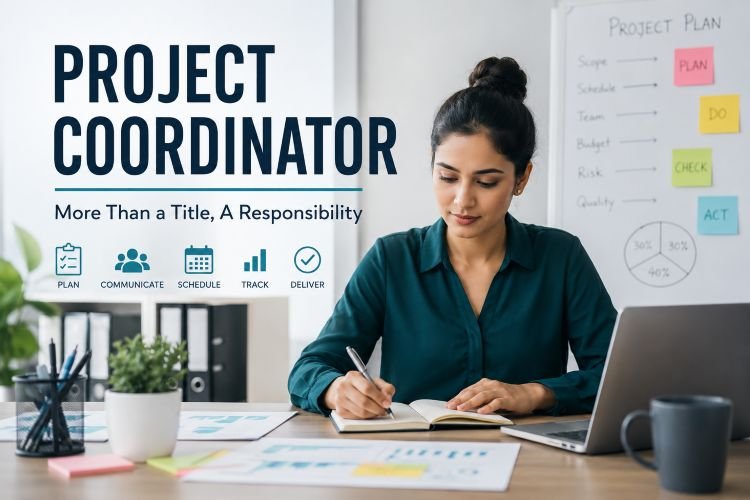
Project Coordinator: Easy to Get the Title, Hard to Do the Work
A practical, first-person reflection on why project coordination is much more than tracking tasks, sending follow-ups, and scheduling meetings.
There is one statement I have heard many times in different forms:
“Anyone can become a Project Coordinator.”
Sometimes it is said casually. Sometimes it is said as career advice. Sometimes it is said with the intention of encouraging beginners to enter the project management field.
And to some extent, I understand why people say it.
A Project Coordinator role does not always require deep coding knowledge. It may not require you to design system architecture. It may not demand that you master a specific programming language, database, cloud platform, or complex technical stack before you begin.
On the surface, the entry requirements look simple.
You should be organized.
You should communicate well.
You should follow up with people.
You should track progress.
You should schedule meetings.
You should prepare updates.
You should keep everyone informed.
Because of this, many people assume that project coordination is an easy role.
But after being close to real projects, real teams, real deadlines, real clients, and real delivery pressure, I have understood one thing very clearly:
It may be easy to get the title of Project Coordinator, but it is not easy to do the work well.
There is a big difference between holding the role and handling the responsibility.
The Role Looks Simple from the Outside
From the outside, a Project Coordinator may look like someone who is only managing task lists, reminders, meetings, and status updates.
People may think:
“He is just asking for updates.”
“She is just scheduling meetings.”
“They are only sending follow-up emails.”
“The real work is being done by developers, designers, testers, business analysts, and managers.”
This is where the misunderstanding begins.
A good Project Coordinator is not merely pushing people for updates. A good Project Coordinator is trying to understand the movement of the project before the problem becomes visible to everyone else.
The role is not only about asking:
“Is this done?”
The real role is about understanding:
Why is this not moving?
What is blocking the team?
Who needs clarity?
What dependency is not being discussed?
What is the client expecting?
What is the team actually able to deliver?
What risk is silently building up?
What should be escalated now?
That is where the role becomes difficult.
Project coordination is not just about tracking work. It is about managing the space between planning and reality.
The First Challenge: Small Changes Are Not Always Small
One of the biggest lessons in project coordination is that a “small change” is often not small.
A client may say:
“This is just a small change.”
“Can we quickly add this?”
“This should not take much time.”
But the Project Coordinator cannot afford to look only at the sentence. The coordinator has to understand the impact behind the request.
A small change may affect:
Current sprint planning
Developer allocation
Testing scope
Delivery timeline
Existing approved logic
Related modules
User interface behavior
Database changes
Reporting flow
Client expectations
Previously committed deadlines
To someone outside the delivery process, it may look like a minor adjustment.
But to the project team, that one change may disturb the entire sprint logic.
This is where the Project Coordinator’s role becomes sensitive.
The coordinator cannot simply reject the request harshly. At the same time, the coordinator cannot blindly accept it and put the team under pressure.
The real skill is in asking the right questions:
What exactly needs to change?
Is this part of the original scope?
What is the business reason behind this request?
Will this affect anything already completed?
Can this be taken in the current sprint?
What will be the impact on timeline and testing?
This is not just administration. This is judgment.
A weak coordinator only passes the request to the team.
A mature coordinator understands the impact, communicates clearly, and protects the project from hidden scope creep.
The Second Challenge: Managing Technical Blockers Without Creating Panic
Another difficult part of project coordination is handling technical blockers.
In many projects, developers may get stuck. Testers may find defects. APIs may not respond as expected. Requirements may be unclear. A third-party dependency may delay the work. Something that looked simple during planning may become complicated during execution.
At this point, the Project Coordinator is in a very delicate position.
The client wants an update.
The management wants progress.
The developer needs time.
The tester needs clarity.
The timeline is under pressure.
And the coordinator has to communicate without creating panic.
This is not easy.
If the coordinator hides the problem, trust is damaged later.
If the coordinator communicates too aggressively, the team feels exposed.
If the coordinator communicates too technically, the client may get confused.
If the coordinator gives a vague update, stakeholders may lose confidence.
So the coordinator must translate the situation carefully.
Instead of saying:
“The developer is stuck and we don’t know what is happening.”
A better communication may be:
“The team has identified a technical dependency that needs additional validation. We are reviewing the impact and will share a clear update with the revised direction.”
This kind of communication requires maturity.
It requires the ability to stay calm while things are uncertain.
A good Project Coordinator does not create drama around a blocker. They create visibility, clarity, and movement.
The Third Challenge: Saying “No” Without Damaging Relationships
One of the hardest parts of project coordination is learning how to say “No.”
Not every request can be accepted.
Not every timeline is practical.
Not every escalation requires panic.
Not every idea can be added immediately.
Not every stakeholder demand is good for the project.
But saying “No” in a project environment is not as simple as saying the word directly.
The Project Coordinator often has to say “No” in a way that keeps the relationship healthy.
Instead of saying:
“No, we cannot do this.”
A more professional response could be:
“We can consider this, but adding it now may affect the current delivery timeline. I suggest we capture it as an enhancement and review it for the next sprint.”
This approach does three things.
It does not dismiss the stakeholder.
It protects the current team commitment.
It gives the request a proper place in the project process.
That is the balancing act.
A Project Coordinator is often standing between stakeholder expectations and team capacity. If the coordinator agrees to everything, the team suffers. If the coordinator refuses everything, stakeholders feel ignored.
The real skill is not just saying “Yes” or “No.”
The real skill is helping people understand what is possible, what is risky, and what needs to be planned properly.
The Fourth Challenge: Holding the Big Picture
In a project, different people focus on different areas.
Developers focus on development.
Testers focus on quality.
Designers focus on user experience.
Business users focus on outcomes.
Clients focus on expectations.
Management focuses on delivery and business impact.
But someone has to hold the full picture.
That is often where the Project Coordinator plays an important role.
The coordinator may not be writing the code. The coordinator may not be testing every feature. The coordinator may not be making every business decision.
But the coordinator needs to know how all the moving parts connect.
What is completed?
What is pending?
What is blocked?
Who is waiting for whom?
Which dependency is delayed?
Which client expectation is not yet addressed?
Which risk is not visible in the status report?
Which task looks small but is actually critical?
This big-picture awareness is one of the most underrated parts of project coordination.
A person who only tracks tasks may miss the real project story.
A person who understands the full picture can identify risk early.
That is why project coordination is not only about checklists. It is about connecting dots.
The Hidden Emotional Load of the Role
One thing people rarely talk about is the emotional load of project coordination.
A Project Coordinator has to deal with many emotions at the same time.
Client frustration
Developer pressure
Tester concerns
Management expectations
Business urgency
Timeline anxiety
Scope confusion
Repeated follow-ups
Unclear ownership
The coordinator is expected to stay calm even when everyone else is tense.
When the client is unhappy, the coordinator has to listen.
When the team is overloaded, the coordinator has to understand.
When management wants answers, the coordinator has to provide clarity.
When the project is delayed, the coordinator has to help organize the next step.
This is why the role requires emotional intelligence.
You cannot do this role well only by maintaining an Excel sheet or project management tool.
Tools help, but tools do not replace judgment.
Tracking Progress Is Only One Part of the Job
Many people reduce project coordination to progress tracking.
But progress tracking is only one part of the role.
A Project Coordinator also supports:
Communication flow
Meeting discipline
Follow-up structure
Risk visibility
Dependency tracking
Stakeholder alignment
Documentation
Delivery coordination
Scope awareness
Timeline monitoring
Team support
Escalation management
The visible work may be a meeting note or a status update.
But behind that update, there may be multiple conversations, clarifications, reminders, decisions, and risk checks.
A poor coordinator may write:
“Task is in progress.”
A better coordinator may write:
“Development is in progress. API dependency is pending from the integration team. If the dependency is not resolved by Wednesday, testing may shift by two days.”
The second update gives direction. It helps people act.
That is the difference between mechanical tracking and meaningful coordination.
The Role Requires Practical Intelligence
Project coordination needs a very practical type of intelligence.
It is not always about having the highest technical knowledge in the room.
It is about knowing how to move work forward.
A Project Coordinator should understand:
Who needs to be informed
Which issue needs escalation
Which discussion needs documentation
Which dependency is becoming risky
Which stakeholder needs reassurance
Which team member needs support
Which commitment should not be made without confirmation
Which meeting is necessary and which one is avoidable
This kind of intelligence develops through experience.
It develops when you observe how projects succeed and fail.
It develops when you see how one unclear requirement can create multiple defects.
It develops when you understand how one missed communication can delay delivery.
It develops when you realize that coordination is not about control. It is about clarity.
The Best Project Coordinators Create Calm
A good Project Coordinator may not always be noticed.
In fact, when coordination is done well, things may look smooth from the outside.
Meetings happen on time.
People know what to do.
Risks are raised early.
Stakeholders receive updates.
Tasks are followed up.
Blockers are visible.
The team is not constantly disturbed.
The client is not constantly anxious.
Because everything looks calm, people may assume the role is easy.
But often, that calm exists because someone is working hard behind the scenes.
Someone is connecting people.
Someone is asking uncomfortable questions.
Someone is documenting decisions.
Someone is reminding the team about commitments.
Someone is protecting focus.
Someone is managing expectations.
Someone is making sure that confusion does not become conflict.
That is the invisible value of a Project Coordinator.
The Real Value: Managing the Gap Between Imagination and Possibility
For me, one of the most powerful ways to understand this role is this:
A Project Coordinator manages the gap between what is imagined and what is possible.
Clients imagine outcomes.
Business teams imagine features.
Management imagines timelines.
Users imagine convenience.
Developers understand effort.
Testers understand quality risk.
Designers understand experience.
Operations teams understand support issues.
Somewhere between all of this, the Project Coordinator helps bring reality into the conversation.
Not to kill ideas.
Not to slow down progress.
Not to block innovation.
But to make sure that imagination is converted into planned, realistic, and deliverable work.
That is the real responsibility.
A Project Coordinator should not just ask, “Can we do this?”
They should also ask:
Can we do this properly?
Can we do this within the timeline?
Can we do this without breaking something else?
Can we test this properly?
Can we support this after delivery?
Can we communicate the impact clearly?
These questions make the role valuable.
Why Beginners Should Still Consider This Role
Even though the role is difficult, I still believe project coordination is a great entry point for people who want to grow in project management.
It gives exposure to real projects.
It teaches communication.
It builds discipline.
It improves planning awareness.
It develops stakeholder management skills.
It helps you understand how teams actually work.
It shows the difference between theory and execution.
But anyone entering this role should not treat it casually.
Do not think project coordination is only about reminders and follow-ups.
Treat it as a learning ground for leadership.
Because if you do this role seriously, you will learn some of the most important lessons in project management.
You will learn how to listen.
You will learn how to ask better questions.
You will learn how to manage pressure.
You will learn how to handle conflict.
You will learn how to protect the team.
You will learn how to communicate risk.
You will learn how to bring structure into chaos.
These are not small skills.
These are leadership skills.
What Makes a Good Project Coordinator?
In my view, a good Project Coordinator is not defined only by tool knowledge.
Yes, tools are important.
Knowing how to use project management software, spreadsheets, calendars, documentation tools, dashboards, and reporting formats is useful.
But the deeper qualities matter more.
A good Project Coordinator is someone who:
Communicates clearly
Follows up without irritating people
Understands urgency without creating panic
Documents decisions properly
Knows when to escalate
Respects technical complexity
Protects team focus
Keeps stakeholders informed
Understands the project objective
Learns from every delivery cycle
The best coordinators are not just organized.
They are observant.
They notice patterns.
They sense when something is off.
They know when a task is “in progress” only on paper.
They know when silence from a team member may indicate a blocker.
They know when a stakeholder’s casual comment may become a scope change.
They know when a meeting needs a decision, not just discussion.
This awareness is built slowly.
Conclusion: Respect the Role Behind the Title
So yes, someone may say:
“Anyone can become a Project Coordinator.”
Maybe that is true at the entry level.
But not everyone can become a good Project Coordinator.
Because the role requires more than being organized.
It requires patience, judgment, communication, emotional intelligence, project awareness, and the ability to stay calm under pressure.
It is easy to get the title.
It is hard to do the work.
And it is even harder to do the work in such a way that everyone else feels the project is under control.
That is the quiet strength of a Project Coordinator.
They may not always be the loudest person in the room.
They may not always make the final decision.
They may not always get the most visible credit.
But many times, they are the person holding the project together when things become unclear, delayed, tense, or complicated.
Project coordination is not just progress tracking.
It is balance.
It is judgment.
It is communication.
It is calm under pressure.
And most importantly, it is the ability to manage the gap between what people imagine and what the team can realistically deliver.
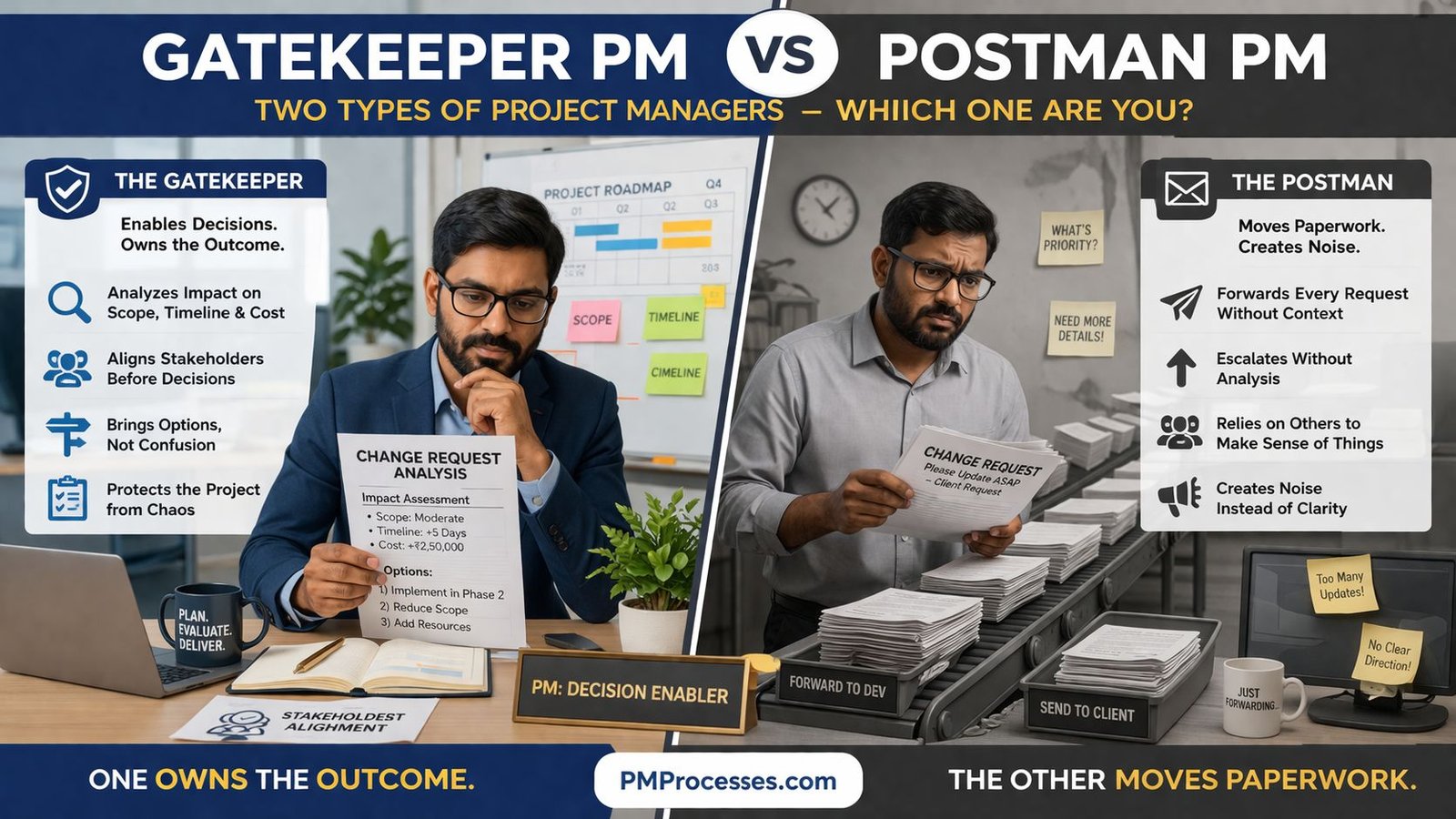
In real-world projects, especially those involving evolving requirements, multiple stakeholders, and tight deadlines, you’ll often encounter two distinct types of project managers:
The Gatekeeper
The Postman
At first glance, both may appear to be “doing their job.” But the difference between them can determine whether a project succeeds, struggles, or completely derails.
Let’s break this down in detail – with real-world examples, practical insights, and lessons you can apply immediately.
1. The Gatekeeper Project Manager
A Gatekeeper is not someone who blocks progress. They are someone who controls the quality and clarity of change.
Key Characteristics
Doesn’t just “forward” change requests
Evaluates impact on scope, timeline, and cost
Aligns stakeholders before decisions
Presents options with clarity
Protects the project from chaos
Real-World Example
Scenario: Feature Addition in a Website Project
A client says:
“Can we add a chatbot, a blog section, and a multilingual feature?”
Postman Approach:
Forwards the request to the development team
The team starts working
Timeline slips
Budget increases
Client gets confused
Gatekeeper Approach:
Breaks request into components
Evaluates:
Chatbot → 2 days + API cost
Blog → 3 days + CMS changes
Multilingual → 5 days + UX redesign
Aligns with stakeholders:
“Which is priority?”
“What is the business goal?”
Suggests:
Phase 1 → Blog
Phase 2 → Chatbot
Phase 3 → Multilingual
Result: Controlled execution, no chaos.
What Makes a Gatekeeper Valuable?
1. They Own the Outcome
They don’t just “manage tasks.” They ensure the project delivers value.
2. They Think Like a Business Partner
Instead of asking:
“What should I do?”
They ask:
“What should we do, and why?”
3. They Enable Smart Decisions
They convert confusion into:
Structured options
Clear trade-offs
Actionable decisions
2. The Postman Project Manager
The Postman is not “wrong”—but incomplete.
They act as a messenger, not a decision enabler.
Key Characteristics
Forwards every request without context
Escalates without analysis
Relies on others to interpret requirements
Creates noise instead of clarity
Real-World Example
Scenario: Change Request in a Mobile App
Client says:
“Let’s redesign the dashboard UI.”
Postman Approach:
Sends a request to the design team
Design team asks questions
Questions go back to the client
Back-and-forth loops begin
Result:
Delays
Miscommunication
Frustration on all sides
Hidden Cost of a Postman PM
This is where things get serious.
1. Decision Fatigue
Stakeholders are bombarded with unclear questions.
2. Team Confusion
Developers/designers lack direction.
3. Scope Creep
Every request gets accepted without evaluation.
4. Loss of Trust
Client starts feeling:
“Does anyone know what’s going on?”
The Core Difference
Aspect
Gatekeeper
Postman
Role
Decision Enabler
Message Carrier
Focus
Outcome
Activity
Change Handling
Evaluated
Forwarded
Stakeholder Alignment
Proactive
Reactive
Impact
Clarity & Control
Chaos & Noise
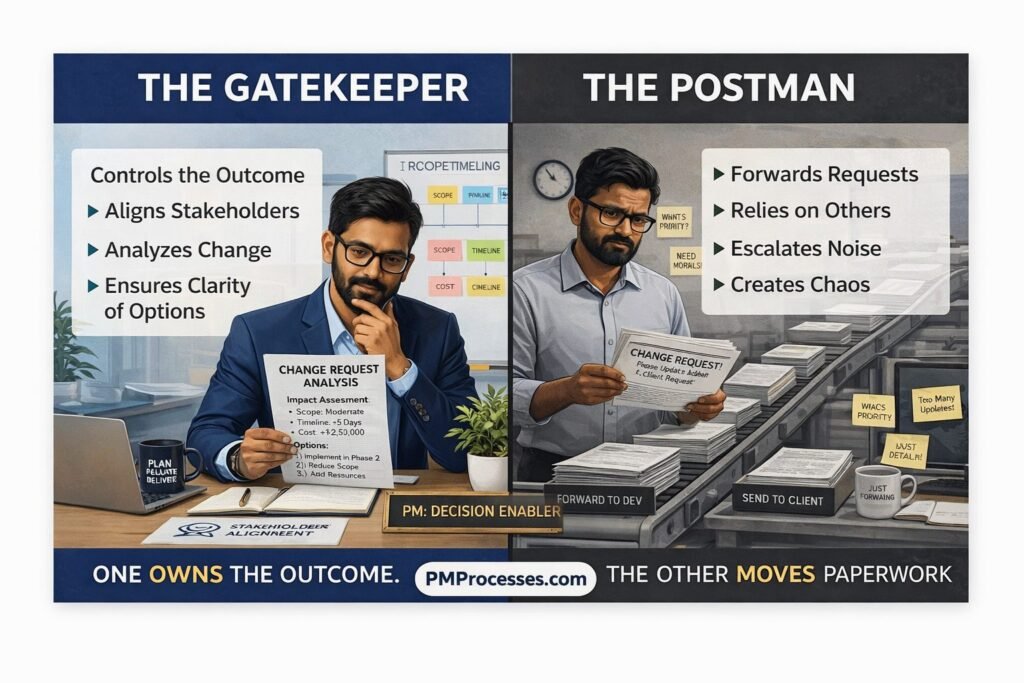
One owns the outcome. The other moves paperwork.
Why This Matters in High-Stakes Projects
In projects like:
Software development
Digital transformation
Product launches
AdTech platforms
Requirements are constantly evolving.
If every change is blindly accepted:
You don’t have agility.
You have uncontrolled scope creep.
Change Management ≠ Blocking Change
A common misconception:
“A strong PM slows things down.”
Reality: A strong PM enables faster, better decisions.
Example: Agile Environment
In Agile, change is welcome.
But even in Agile:
Backlog is prioritized
Sprint scope is controlled
Trade-offs are made
Gatekeeper in Agile: Ensures change is intentional
Postman in Agile: Treats every change as urgent
Result: Broken sprints, Burnout, Poor delivery
How to Become a Gatekeeper Project Manager
This is where you level up.
1. Always Ask “WHY”.
Before forwarding any request:
What problem does this solve?
Is it urgent or important?
2. Analyze Impact
Every change affects: Scope, Timeline, Cost, Resources
Make this visible.
3. Provide Options, Not Questions
Instead of asking: “What should we do?”
Say: “We have 3 options…”
This shifts you from: Coordinator → Decision Enabler
4. Align Before Acting
Never assume alignment.
Confirm:
Stakeholders agree
Priorities are clear
Trade-offs are accepted
5. Document Intent
Every change should answer:
Why are we doing this?
What is the expected outcome?
Final Thought
The difference between a struggling project and a successful one often comes down to this:
Is the Project Manager just passing messages… Or shaping decisions?
A strong Project Manager doesn’t block change.
They ensure that every change is: Understood, Evaluated, and Intentional.
Because unmanaged change isn’t agility… It’s just scope creep in disguise.
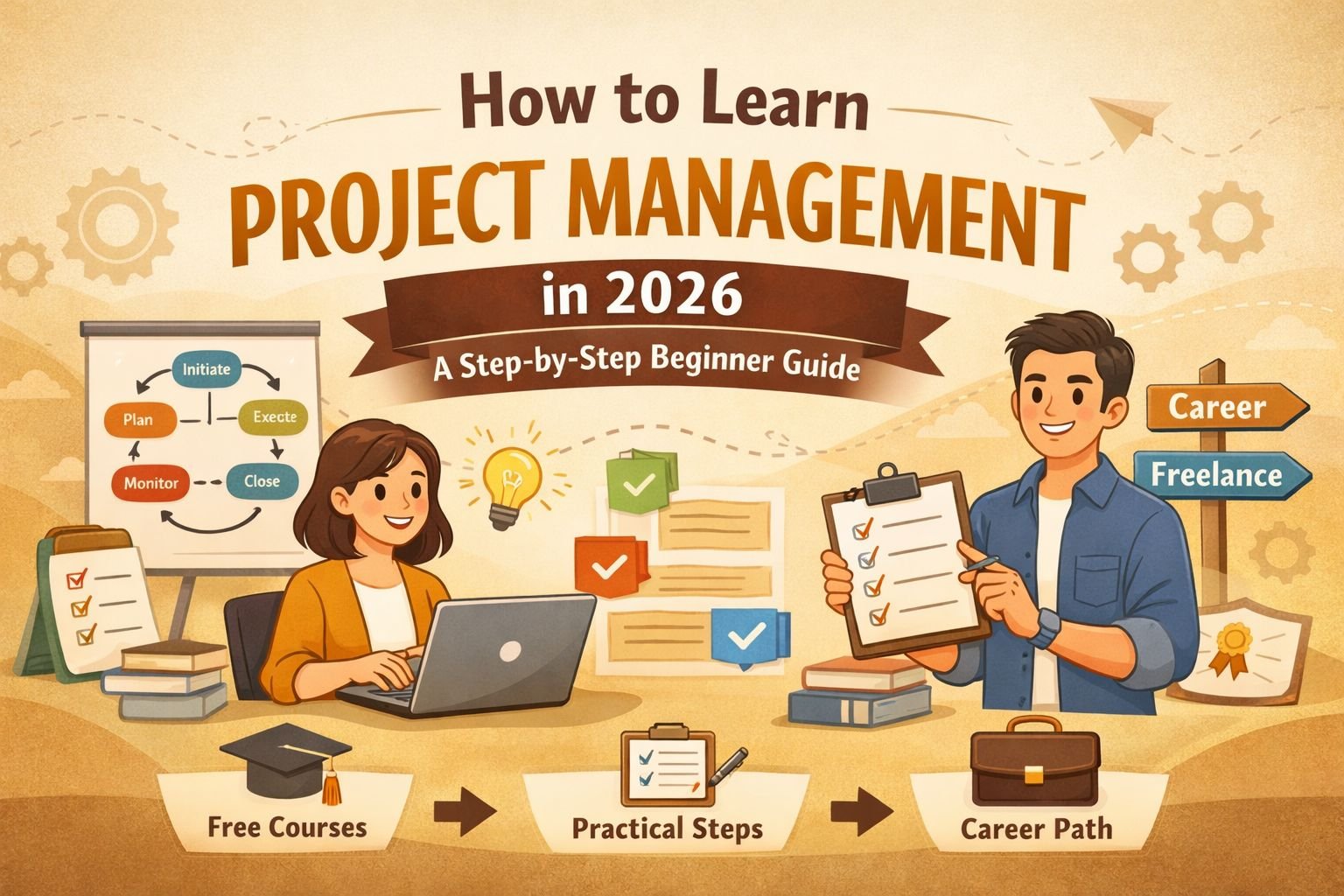
If you’ve ever managed a task, planned an event, or coordinated with others to complete something, you’ve already used basic project management skills.
But here’s the truth:
You don’t need a technical background, expensive certification, or years of experience to start learning project management in 2026.
Whether you are:
A teacher exploring online opportunities
A non-tech professional feels stuck
A mid-career individual (30s/40s) looking for a shift
This guide will help you understand, learn project management, and apply project management step-by-step—using simple language and practical examples.
What Is Project Management (Simple Definition)
Project management is:
The process of planning, organizing, executing, and completing a task or goal successfully.
Real-Life Example:
If you plan to build a website, you need to:
Decide what pages you want
Set a timeline
Assign tasks
Track progress
Launch it
That entire process is project management.
Why Learn Project Management in 2026
Project management is no longer limited to IT companies.
It is used in:
Digital marketing
Content creation
Education
Freelancing
Small businesses
Benefits:
High-demand skills across industries
Useful even without a job (for personal projects)
Helps you become more organized and productive
Opens doors to freelancing and consulting
Step-by-Step Roadmap to Learn Project Management
Step 1: Understand the Basics (With Clear Concepts)
What is a Project Lifecycle?
A project lifecycle is the step-by-step journey of a project from start to finish.
Think of it like planning and completing a task in stages.
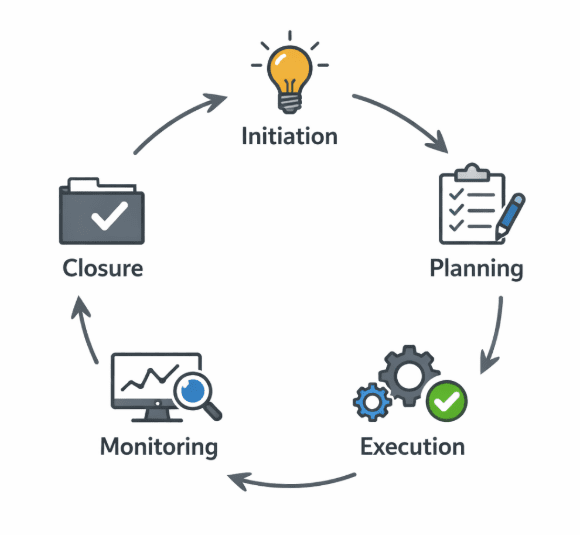
The 5 Stages Explained:
1. Initiation (Starting the Project)
This is where the idea begins.
Example: “I want to create a blog.”
2. Planning (Deciding How to Do It)
You decide:
What tasks need to be done
How long will it take
Who will do the work
Example:
Write content → 5 days
Design → 3 days
3. Execution (Doing the Work)
This is where the actual work happens.
Example:
Writing articles
Designing pages
4. Monitoring (Tracking Progress)
You check:
Are things on track?
Are there delays?
Example: If content is delayed → adjust timeline
5. Closure (Finishing the Project)
The project is completed and delivered.
Example: The blog is published online
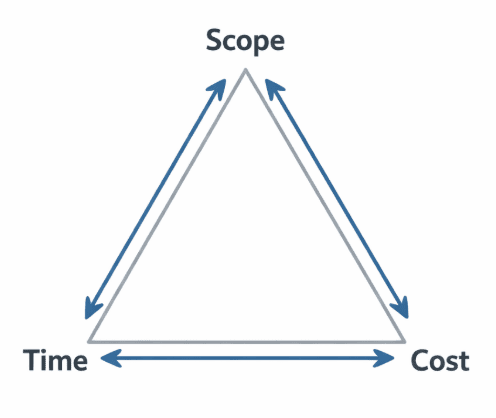
What Are Project Constraints?
Every project has limitations. These are called constraints.
1. Scope (What Work Will Be Done)
Scope defines:
What is included and what is NOT included
Example:
Included → Homepage
Not included → E-commerce
2. Time (Deadline)
Time means:
How long you have to complete the project
Example: Complete website in 10 days
3. Cost (Budget)
Cost means:
How much money you can spend
Example: Budget = ₹15,000
Important Insight:
These 3 are connected.
Increase scope → Time & cost increase
Reduce time → Cost may increase
👉 Managing this balance is the core of project management.
Daily Standup → Short daily meeting to discuss progress
👉 Simple understanding:
Work in small parts → Review → Improve
Step 4: Use Simple Tools (What They Actually Do)
Tools help you:
Organize tasks and track progress
Trello (Visual Task Tool)
Works like a board
Each task is a card
Example: To Do → Doing → Done
Asana (Task Management Tool)
Assign tasks to people
Set deadlines
Example: Assign “Write content” to a team member
Notion (All-in-One Tool)
Combines notes, tasks, and planning
Example: Write project plan + track tasks together
Step 5: Learn Through Free Resources
You don’t need to spend money initially.
Start with:
Free online courses
YouTube tutorials
Blogs and articles
👉 Focus on understanding, not collecting certificates
Step 6: Practice with Real-Life Projects
This is the most important step.
Start with:
Creating your own blog
Managing a small project
Helping a friend
👉 Learning + doing = real skill
Step 7: Explore Career Opportunities
Project management offers multiple career paths.
Job Roles:
Project Coordinator
Project Manager
Scrum Master
Freelancing Opportunities:
Managing website projects
Handling marketing campaigns
Coordinating remote teams
Is It Too Late to Learn Project Management?
No.
Many professionals start in their:
30s
40s
Even later
Why?
Because project management depends on:
Experience
Communication
Decision-making
👉 Skills that improve with age
Common Mistakes Beginners Make
❌ Only focusing on certifications
👉 Focus on practical skills instead
❌ Learning without applying
👉 Practice immediately
❌ Trying to learn everything at once
👉 Follow a step-by-step approach
❌ Ignoring communication skills
👉 This is one of the most important skills
Simple Action Plan to Start Today
Day 1–3: Learn project lifecycle basics
Day 4–7: Try tools like Trello or Notion
Week 2: Start a small project
Week 3–4: Take a beginner course
Month 2: Apply in real-world or freelance work
Final Thoughts
To learn project management is not about becoming perfect.
It is about becoming practical and effective.
The best project managers are not those who know everything, but those who can plan, adapt, and deliver results.
Your Next Step
Start today:
Pick a small project – it will help you learn project management better.
Use a simple tool, so that you don’t complicate the process to learn project management
Apply what you learn
👉 Consistency matters more than perfection.
While writing this article, my objective was simple: to help those who want to get into Project Management make an informed decision. Let’s connect to discuss, in case you have any questions around understanding the fundamentals & learn project management.
When system design goes wrong, the problem is often blamed on technology. The platform was too slow, the integration failed, the data model was messy, or the application could not handle growth. But in many cases, the real issue started much earlier. The system was built without a clear understanding of how the business actually works.
That is where business architecture becomes valuable.
Table of Contents
Business architecture gives structure to the way an organization creates value. It connects strategy, capabilities, processes, stakeholders, and use cases so teams can design systems that support real business needs instead of assumptions. For project managers, senior leaders, and business owners, this matters because system design is not just an IT concern. It directly affects delivery speed, operating cost, customer experience, and the ability to scale.
This article explains how business architecture shapes system design from the ground up, why use cases matter more than many teams realize, and how a stronger business view leads to systems that are easier to extend, govern, and grow.
What are you trying to achieve?
Are you trying to answer questions like:
Why do some systems become difficult to scale even when the technology looks modern?
How can business leaders influence system design without getting lost in technical detail?
What is the connection between business use cases and long-term architecture decisions?
How can we make better design decisions before implementation begins?
In practical terms, you want to understand how to reduce misalignment between business goals and technical solutions.
What Business Architecture Really Means
Business architecture is often misunderstood as a layer of diagrams or governance documents. In reality, it is a way of organizing business knowledge so decisions can be made with context.
It typically looks at questions such as:
What capabilities does the business need to deliver value?
Which processes support those capabilities?
Who are the key stakeholders, users, and customers?
What information needs to flow across the organization?
Which business outcomes matter most?
Think of it as the blueprint for how the business operates. System design, then, is the blueprint for how technology supports that operation.
A useful analogy is building a logistics hub. You would not begin by choosing conveyor belts and scanning devices before understanding the flow of goods, storage requirements, timing pressures, and customer service commitments. In the same way, you should not design software before understanding the business capabilities and use cases it must support.
Why Use Cases Are the Starting Point
Use cases are where business architecture starts becoming practical.
A use case describes how a user, team, partner, or system interacts with the business to achieve a goal. Good use cases do more than describe features. They expose the real-world behavior that the system must support.
For example, a company may say it needs a “customer management platform.” That sounds clear enough until you ask what actually needs to happen. Then the real use cases appear:
Example Use Cases
A sales manager needs to view all customer interactions across channels
A service agent needs to resolve complaints without switching between systems
A finance team needs accurate billing data from completed service records
A business owner needs reporting across regions and product lines
These are not minor details. They shape decisions about workflows, permissions, integrations, data ownership, reporting structures, and performance requirements.
Without strong use cases, system design often becomes feature-driven. Teams build what seems useful rather than what the business truly depends on. That is how systems end up fragmented, over-customized, or difficult to scale.
How Business Architecture Influences System Design
Business architecture shapes system design by giving technical teams the context needed to make better structural decisions.
1. It Defines What the System Must Actually Support
A system should be designed around business capabilities, not just department requests.
This distinction matters. Department requests are often local and immediate. Business capabilities are broader and more durable. For example, “approve supplier contracts faster” may be a request. “Procurement governance” is the larger capability.
When system design is tied to capabilities, the result is usually more stable and reusable. The solution can serve multiple teams and adapt more easily over time.
2. It Clarifies Process Dependencies
Processes rarely operate in isolation. A customer onboarding process may involve sales, compliance, finance, operations, and support. If the architecture only reflects one team’s view, the system may work for that team but create friction everywhere else.
Business architecture helps teams map these cross-functional dependencies early. That leads to better workflow design, cleaner handoffs, and fewer surprises during implementation.
3. It Improves Data Design
Poor system design often shows up as poor data design.
When business terms are not clearly defined, systems end up using inconsistent definitions of customer, order, case, location, product, or revenue. This creates reporting issues, integration pain, and decision-making confusion.
Business architecture forces these definitions into the open. That makes it easier to design shared data models, establish ownership, and reduce duplication.
4. It Creates a Better Basis for Integration
Many organizations do not operate with one system. They operate with dozens. CRM, ERP, HR, finance, support, analytics, and industry-specific platforms all need to work together.
Business architecture helps identify where integration is essential, where it is optional, and where it creates risk. That leads to more deliberate interface design instead of last-minute patchwork.
The Link Between Business Architecture and Scalability
Scalability is often treated as a technical issue: traffic, processing load, infrastructure, storage, and concurrency. Those things matter, but they are only part of the story.
A system can be technically scalable and still fail the business.
For instance, the application may handle ten times more users, but if onboarding new regions requires manual configuration, if reports break when product lines expand, or if approval workflows become tangled as the organization grows, the business still hits a ceiling.
Business architecture strengthens scalability in three important ways.
Structural Scalability
This means the design can accommodate new business units, services, products, or geographies without being rebuilt from scratch.
When systems are aligned to capabilities and modular processes, expansion becomes easier. Teams can extend instead of replace.
Operational Scalability
This focuses on whether people can continue working effectively as transaction volume and complexity grow.
A system may look scalable on paper but create bottlenecks in approvals, case routing, exceptions handling, or reporting. Business architecture reveals these operational choke points before they become expensive.
Strategic Scalability
This is the ability to support future change.
Businesses evolve. New channels emerge, regulations change, customer expectations shift, and acquisitions happen. A well-architected system is not just built for today’s use cases. It is designed with enough flexibility to absorb tomorrow’s changes without constant redesign.
A Practical Example: Scaling a Service Business
Imagine a mid-sized field service company that handles installation and maintenance across several cities. At first, a basic system is enough. Jobs are scheduled manually, invoices are handled in batches, and customer history is stored across spreadsheets and separate tools.
As the business grows, problems appear:
Scheduling conflicts increase
Billing is delayed because service records are incomplete
Managers lack visibility across regions
Customers receive inconsistent service updates
New branches adopt different workarounds
A purely technical response might be to buy a stronger platform or add integrations. That may help, but it does not solve the root issue.
A business architecture approach would start by identifying capabilities like service scheduling, technician dispatch, work order management, billing, customer communication, and performance reporting. It would examine the use cases across field staff, managers, finance teams, and customers. Only then would system design choices follow.
That changes the outcome. Instead of a collection of disconnected tools, the company can design a system landscape that supports consistent workflows, shared data, scalable processes, and better decision-making.
Common Mistakes Organizations Make
Treating business architecture as optional documentation
If business architecture is seen as paperwork, it gets skipped. Then teams make design decisions with incomplete context. The result is often rework later, usually at a much higher cost.
Designing around current org charts
Org charts change faster than business capabilities. If systems are designed around current reporting lines instead of enduring capabilities, they become fragile when teams are restructured.
Focusing on features before flows
A long feature list can create false confidence. What matters more is how work actually moves across people, systems, and decisions.
Assuming scalability only means volume
Growth is not just more transactions. It can also mean more products, more rules, more users, more locations, and more exceptions. System design needs to account for all of that.
Leaving business stakeholders out of architecture conversations
When business leaders disengage from design decisions, architecture becomes overly technical and less relevant. The strongest solutions come from shared ownership.
How Leaders Can Apply This in Real Projects
You do not need to be a solution architect to improve system design outcomes. A few disciplined questions can dramatically raise the quality of decisions.
Ask capability-first questions
Before discussing tools, ask: what business capability are we trying to strengthen, standardize, or scale?
Push for clear use cases
Do not accept vague statements like “we need better visibility” or “the system should be more flexible.” Ask who needs what, when, and why.
Look for cross-functional impact
If a system change helps one team, what does it do to the teams upstream and downstream?
Separate short-term fixes from long-term structure
Sometimes a workaround is necessary. The key is being honest about whether it is a bridge or a foundation.
Design for change, not just delivery
A project is not finished when the system goes live. The real test is whether the system still supports the business one, two, or five years later.
Final Thoughts
Business architecture is not an abstract planning exercise. It is a practical way to make system design smarter.
It helps organizations move from loosely defined requirements to systems built around real business capabilities and use cases. It improves data quality, integration decisions, process alignment, and scalability. Most importantly, it reduces the gap between what the business needs and what technology delivers.
For project managers, senior management, and business owners, that is the real opportunity. You do not need to design the technical solution yourself. But you do need to ensure the design is shaped by the business, not disconnected from it.
When that happens, scalability stops being an afterthought. It becomes part of the design from the beginning.
Frequently Asked Questions
1. What is the difference between business architecture and system architecture?
Business architecture focuses on how the organization operates, including capabilities, processes, stakeholders, and value delivery. System architecture focuses on how technology is structured to support those needs. One defines the business context; the other translates that context into technical design.
2. Why are use cases so important in system design?
Use cases show how real users and teams interact with the business to achieve outcomes. They help uncover workflow needs, decision points, data requirements, and integration dependencies that might be missed in high-level requirements.
3. Can a system be technically scalable but still fail the business?
Yes. A system may handle more users or transactions but still create operational bottlenecks, poor reporting, inconsistent processes, or inflexible workflows. True scalability includes business and operational scalability, not just infrastructure performance.
4. Who should be involved in shaping business architecture?
Business leaders, project managers, process owners, domain experts, architects, and sometimes frontline users should all contribute. Strong business architecture needs both strategic direction and practical operational insight.
5. When should business architecture be considered in a project?
As early as possible. It should inform scoping, requirements, priorities, and design choices before major technology decisions are locked in. Addressing it later usually leads to rework, delays, or systems that solve the wrong problem.
If you want to discuss or bounce your thoughts, do not hesitate. My LinkedIn Profile
In today’s fast-paced business landscape, project managers face constant disruptions—from supply chain shocks and geopolitical shifts to AI-driven market changes. Project management in a VUCA world demands more than traditional Gantt charts; it requires agility and foresight. VUCA, an acronym for Volatility, Uncertainty, Complexity, and Ambiguity, originated in military strategy but now defines modern enterprises. For PMO leaders, Agile practitioners, and PMP-certified professionals, mastering VUCA leadership isn’t optional—it’s essential for delivering results.
This article breaks down VUCA’s impact on projects and equips you with seven practical strategies. You’ll gain tools for adaptive planning, hybrid project management, and beyond to turn chaos into opportunity.
What is VUCA in the Modern Business Context?
VUCA captures the turbulent environment where change is the only constant. Coined by the U.S. Army War College in the late 1980s, it has evolved with globalization, digital transformation, and events like the COVID-19 pandemic.
Volatility: Rapid, unpredictable changes in speed and magnitude. Think stock market swings or sudden tech outages.
Uncertainty: Lack of predictable outcomes. Will remote work policies shift again, post-2025 economic recoveries?
Complexity: Interconnected factors with multiple moving parts. Supply chains span continents, involving dozens of vendors.
Ambiguity: Unclear meanings and multiple interpretations. A client’s “urgent” request might mean different priorities to stakeholders.
In 2026, VUCA manifests in hybrid work models, cybersecurity threats, and AI integration. Project managers must navigate these without rigid playbooks, emphasizing systems thinking to map interconnections.
How VUCA Impacts Project Management
Traditional project management—linear phases, fixed scopes—crumbles under VUCA. Delays cascade: a volatile supplier issue in one region ripples globally, creating uncertainty in timelines. Complexity overwhelms with data overload from tools like Jira or Microsoft Project, while ambiguity leads to misaligned teams.
Real-world fallout includes:
Scope creep from ambiguous requirements, inflating budgets by 20-30% (PMI Pulse of the Profession, 2025).
Risk blind spots, where uncertainty hides threats like regulatory changes.
Team burnout amid volatile priorities, eroding morale.
Project governance falters without adaptive structures, turning PMOs into bottlenecks. Enter hybrid project management: blending Waterfall precision with Agile flexibility to build resilience.
7 Actionable Strategies for Project Management in a VUCA World
These strategies draw from ITIL, PMP best practices, and real enterprise case studies. Implement them sequentially for maximum impact.
1. Embrace Adaptive Planning Over Rigid Schedules
Ditch annual baselines; adopt rolling-wave planning, updating forecasts every sprint or quarter.
Practical Example: A Mumbai-based EdTech firm faced volatile enrollment drops in 2025. Their PM shifted to bi-weekly adaptive planning in Asana, reallocating resources from underperforming courses to AI tutoring modules. Result: 15% faster pivots, on-time delivery despite 40% demand swings.
2. Build Risk Intelligence Through Proactive Scenario Mapping
Elevate risk registers with “what-if” simulations using Monte Carlo tools or Excel add-ons.
Practical Example: In a cybersecurity project for an Indian bank, the PM used risk intelligence to model three scenarios: mild breach (30% probability), major attack (50%), and blackout (20%). Pre-allocating failover teams cut downtime from days to hours during a real 2026 ransomware hit.
3. Leverage Hybrid Project Management for Flexibility
Combine Agile sprints with Waterfall milestones for dynamic environments.
Practical Example: A global NFT platform’s PMO integrated Scrum for feature development and Prince2 gates for compliance. Amid ambiguous Web3 regulations, this hybrid approach launched a compliant marketplace 25% under budget, blending speed with governance.
4. Apply Systems Thinking to Untangle Complexity
View projects as ecosystems, mapping dependencies with tools like Lucidchart.
Practical Example: During a domain portfolio migration for a digital marketing agency, complexity arose from 500+ interlinked sites. Systems thinking revealed SEO bottlenecks; the PM restructured into micro-clusters, reducing migration risks by 60% and preserving rankings.
5. Strengthen Emotional Intelligence in Project Management
Foster team resilience with regular pulse checks and empathy-driven feedback.
Practical Example: A PMP-certified PM leading a remote Agile team amid 2026 layoffs used EQ tools like Gallup’s Q12 surveys. Weekly “resilience huddles” addressed ambiguity fears, boosting velocity by 18% and retention during uncertainty.
6. Implement Robust Project Governance with Agile Guardrails
Practical Example: An enterprise PMO in tech services adopted governance dashboards in Tableau. For a volatile cloud migration, automated alerts flagged scope drifts, ensuring 95% adherence to SLAs despite ambiguous vendor delays.
7. Cultivate VUCA Leadership via Continuous Learning Loops
Embed retrospectives and upskilling (e.g., PMI’s VUCA certification) into every project close.
Practical Example: A PMO leader at an AdTech firm ran quarterly “VUCA labs” post-project, analyzing blockchain integration failures. This loop refined adaptive planning, turning a 2025 flop into a 2026 revenue driver with 2x ROI.
Developing a Leadership Mindset for VUCA Success
Thriving in project management in a VUCA world starts with a mindset: shift from control to influence. Prioritize vision (clarity amid ambiguity), understanding (deep stakeholder listens), courage (bold decisions), and adaptability (experiment fearlessly)—the VUCA counter: VUCA Prime.
Track progress with KPIs like agility index (pivots per quarter) and resilience score (team NPS). Integrate these into your PMO charter. In dynamic India Inc., where tech and EdTech boom amid global volatility, this approach positions you as indispensable.
Start small: pick one strategy this sprint. Your projects—and career—will adapt and excel.
Frequently Asked Questions (FAQs)
1. What does VUCA mean for project managers in 2026?
VUCA—Volatility, Uncertainty, Complexity, Ambiguity—challenges fixed plans. In 2026, it means mastering adaptive planning and hybrid project management amid AI disruptions and hybrid work.
2. How can emotional intelligence improve project management in a VUCA world?
EQ builds team trust during ambiguity, reducing churn. Use tools like retrospectives to address fears, as seen in Agile teams boosting output by 20%.
3. What’s the best tool for risk intelligence in VUCA projects?
Monte Carlo simulations in @Risk or Primaver Risk Analysis Excel, helping PMs quantify uncertainties and prioritize like in cybersecurity rollouts.
We are no longer managing projects in a stable, predictable environment. We are managing in a VUCA world — a world shaped by Volatility, Uncertainty, Complexity, and Ambiguity.
Originally emerging from military strategy discussions during the late Cold War era, the term VUCA World now perfectly describes modern business reality — rapid technological shifts, AI disruption, regulatory changes, remote work, global supply chain shocks, and black swan events like pandemics.
For project managers, VUCA is not a theory. It is daily life.
Let’s explore what this means for modern project management — and how you can build systems, teams, and processes that thrive instead of merely survive.
Table of Contents
Understanding VUCA World Through a Project Management Lens
Volatility – The Speed of Change
Volatility refers to the rate and magnitude of change.
In project environments, volatility shows up as:
Sudden scope changes
Market-driven pivots
Technology updates mid-project
Budget reallocations
Regulatory changes
Example: You begin a 6-month software implementation project. In month two, a new AI tool disrupts your architecture assumptions.
Your original plan? Already outdated.
PM Response to Volatility:
Shorter planning cycles
Iterative development (Agile, Hybrid models)
Rolling-wave planning
Strong change control discipline
Buffer management
In a volatile environment, flexibility beats rigidity.
Uncertainty – The Unknown Unknowns
Uncertainty means lack of predictability and incomplete information.
As project managers, we often face:
Undefined client expectations
Unclear requirements
Emerging technologies
Unknown risks
Even detailed risk registers cannot predict everything.
PM Response to Uncertainty:
Scenario planning
Prototyping and experimentation
Frequent stakeholder engagement
Strong risk identification workshops
Data-driven decision-making
In uncertain environments, your role shifts from planner to sense-maker.
You don’t just manage tasks. You manage clarity.
Complexity – Interconnected Variables
Complexity arises when multiple systems, stakeholders, technologies, and dependencies interact.
Today’s projects involve:
Cross-functional teams
Multi-vendor ecosystems
Regulatory oversight
Global remote teams
Integration with legacy systems
A small change in one module can impact five other systems.
PM Response to Complexity:
Systems thinking
Dependency mapping
Clear communication structures
Modular project architecture
Strong governance frameworks
Complexity demands structured thinking — not oversimplification.
As someone who operates across digital marketing systems, ad platforms, feeds, APIs, and automation workflows, you’ve likely seen this firsthand — small configuration changes can ripple across the ecosystem.
That’s VUCA in action.
Ambiguity – When Meaning Isn’t Clear
Ambiguity occurs when information exists, but its interpretation is unclear.
Examples:
Vague strategic direction
Undefined success criteria
Conflicting stakeholder expectations
New technologies without precedent
You may hear:
“We want innovation — but no risk.” “We want transformation — but no disruption.”
That’s ambiguity.
PM Response to Ambiguity:
Clarify assumptions
Define measurable outcomes
Establish decision criteria
Run pilots before scaling
Document learnings
In ambiguous situations, clarity becomes a leadership skill — not just a documentation task.
From VUCA to VUCA Today – A Modern PM Mindset
Some leadership thinkers propose reframing VUCA:
Traditional VUCA
Leadership Response
Volatility
Vision
Uncertainty
Understanding
Complexity
Clarity
Ambiguity
Agility
For project managers, this means:
Vision: Align every project with strategic outcomes
Understanding: Deep stakeholder engagement
Clarity: Clear scope and measurable deliverables
Agility: Ability to pivot without chaos
How Project Managers Can Thrive in a VUCA World
Here are practical shifts every PM should make:
1. Move From Control to Adaptability
Traditional PM focused on control and predictability. Modern PM focuses on adaptability and responsiveness.
2. Embrace Hybrid Methodologies
Waterfall alone struggles in volatile conditions. Agile alone may lack governance for complex environments.
Hybrid models provide balance.
3. Strengthen Communication Architecture
In VUCA, communication failure is the biggest risk.
Establish:
Regular cadence meetings
Clear escalation paths
Transparent dashboards
Real-time collaboration tools
4. Invest in Risk Intelligence
Risk management should not be a static document.
It must be:
Reviewed frequently
Quantified when possible
Connected to decision-making
5. Develop Emotional Intelligence
VUCA increases anxiety in teams.
A PM must:
Build psychological safety
Manage stakeholder expectations
Lead calmly during uncertainty
This is where technical PM meets human leadership.
The Future of Project Management in a VUCA World
Emerging trends shaping PM in VUCA:
AI-assisted project planning
Predictive analytics for risk
Data-driven dashboards
Automated reporting
Cross-functional digital collaboration
As someone deeply involved in AI systems and digital workflows, you are already seeing this transformation. The future PM will not just manage tasks — they will manage ecosystems powered by intelligent systems.
My Final Thoughts
VUCA World is not temporary. It is the new normal.
Project managers who cling to rigid planning will struggle. Those who build adaptability, systems thinking, and leadership clarity will thrive.
In a VUCA world:
Plans will change
Risks will evolve
Stakeholders will shift
Technology will disrupt
But strong project management processes — supported by clarity, communication, and agility — will always create structure within chaos.
And that is the real art and science of project management.
If you found this valuable, consider sharing it with your network. Someone navigating uncertainty might need this clarity today.